
How to Use a BBC iPlayer Proxy Server – Watch BBC Abroad in 2026
Want a BBC iPlayer Proxy that works from outside the UK ?
A BBC iPlayer proxy allows you to watch the shows and movies on your computer from anywhere in the world. This is done by connecting through an intermediate server that makes it look like your in the UK before connecting you to the BBC.
Why Can’t I Watch Streaming Sites like the BBC iPlayer ?
For many years now, there’s been a worrying trend developing in the online world. What was once all free and open is now hidden behind paywalls or being blocked and censored. Sometimes it’s whole governments but more often it’s down to commercial companies. Take for example the BBC iPlayer app, their wonderful application is hugely popular but if you step outside the United Kingdom then you’ll be instantly blocked. It doesn’t matter if you’ve a large standing order paying for your TV license, if you’re not in Britain you can’t watch BBC programmes online.
There was some hope, that the European Union would solve this problem as they were trying to implement a ‘single digital market” which would make it illegal to block access like this. Yet with the onset of Brexit, it’s unlikely anything will be done about this now. There’s also the new subscription channel called Britbox – https://www.britbox.com/home which is available in the US and Canada, obviously it’s not as good as the full channels it has got lots of decent shows. However of course it does cost money like a VPN, unlike the BBC iPlayer and other UK TV channels which are completely free.
There is a solution though, and in the rest of this article we’ll show you how to access any geo restricted site anywhere in the world including BBC iPlayer using something called a VPN. It doesn’t matter where you are, or where you connect from this VPN will allow you access sites like iPlayer using any internet connection..

Geo Blocks are Becoming More Common
The businesses involved have decided they prefer a sort of restrictive model when accessing their content – that also makes them lots of cash. So now people get filtered based on their location – for example forget watching BBC iPlayer in the US or Japan for free, it’s not going to happen (well not without some sneakiness of course). Yep and the lovable BBC have decided against the public spirited World Service model of sending out their content for free, instead they restrict it just to people in their home country.
This is especially annoying for the people like me who already pay the license fee but can’t watch the BBC when they’re out of the country. But don’t worry here’s a way which will allow you to access anything you like including the BBC iPlayer, Hulu irrespective of your location. It doesn’t matter where you’re based, you can choose. The solution works in most scenarios so for an example – here’s how to use a proxy to access the BBC iPlayer from anywhere.
BBC iPlayer Proxy Workaround
Using the iPlayer outside the UK , if you try and watch something you’ll be greeted with the following message.
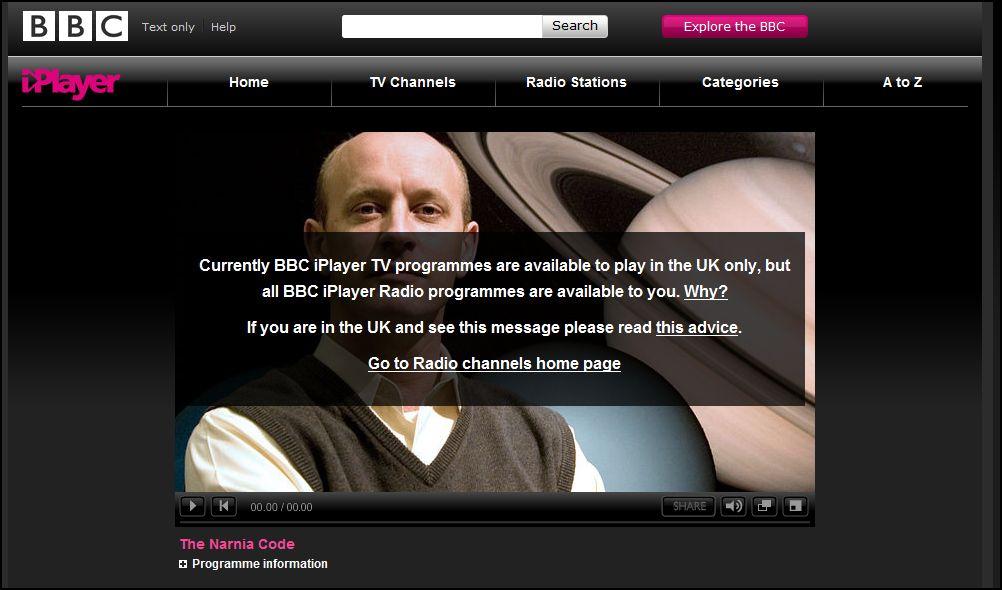
Ha Ha No BBC iPlayer for You
It looks like some technical wizardry of the highest order, but fortunately for us it’s not. When we connect to iPlayer, the site records your IP address and looks up which country it’s registered in before iPlayer will start playing otherwise you get the above platitude. Now for these illustrations I’m going to use my subscription to Identity Cloaker, you used to be able to use free proxies but they no longer work unfortunately. You need a decent paid service in 2023 to watch UK TV overseas unfortunately.
There are a couple of free UK proxy devices but they finance themselves by inserting adware on your computer and some even share your out your internet connection, stay clear !! In the good old days you could also use things like foxy proxy and the extremely dodgy Hola too. Hola is a ‘respectable’ free proxy service which you can use to watch BBC iPlayer albeit slowly. Unfortunately the reason it’s free is that the company shares your account with it’s premium customers! The service is funded by renting the bandwidth of their users to paying customers, allowing complete strangers to use your IP. It’s a huge risk to take for a fake UP IP address to watch TV.
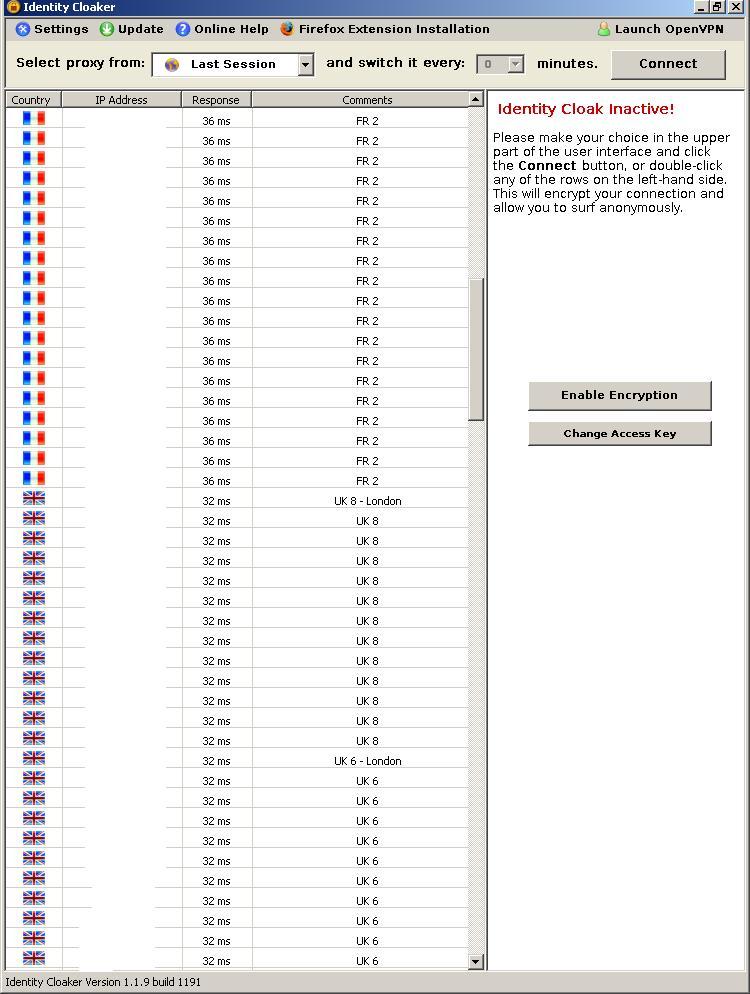
Choose a UK Proxy for IPlayer
Demonstrating How a BBC Proxy Actually Works
I just open Identity Cloaker (or your chosen VPN apps) and scroll down to select one of the UK proxies and that’s it. From this point even though I’m connecting through the Wifi at an overpriced Spanish hotel in Barcelona – it doesn’t matter. The BBC will think I’m in Britain as it looks at the IP address of the proxy server and not mine. So using a BBC proxy works incredibly well, here’s what I see now. The connection between the server is actually more accurately described as a VPN because all the traffic is encrypted.
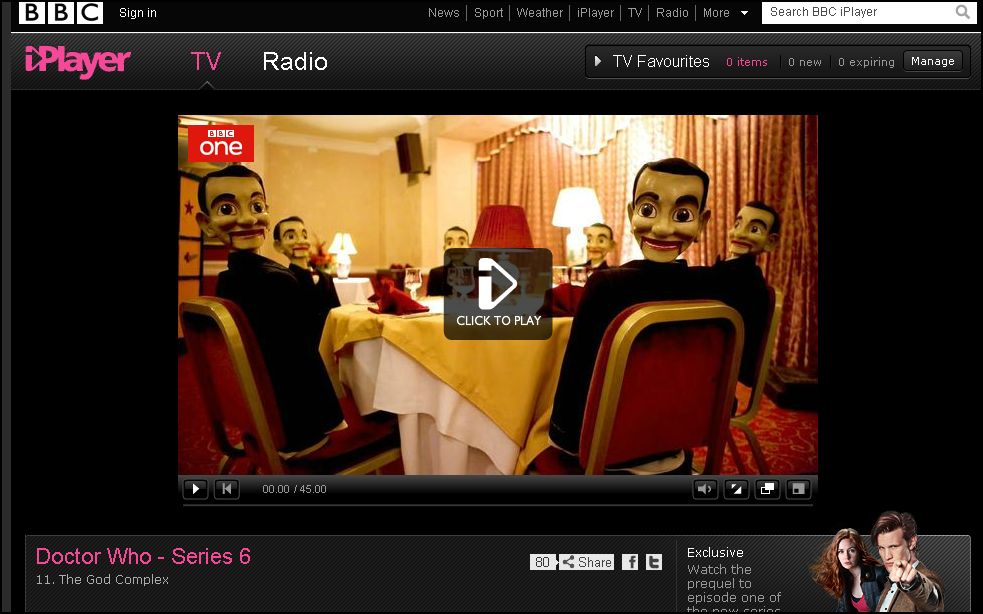
Latest Dr Who from BBC iPlayer
Here’s a video of the process using a VPN with iPlayer …that I hope explains how these apps work.
Instead of the warning, when you watch the BBC iPlayer through a UK proxy everything will work perfectly. You will get get the play button and can watch whatever you want. You’ll also be able to access the live TV streams when connected too and all the other UK TV channels like ITV Hub, Channel 4 etc. In fact the IP check is at start of the show so if I need to I can just disconnect from the proxy using the Identity Cloaker software and stream it directly through my Spanish connection.
So is this enough to cheer me up after just having my wallet stolen in a Barcelona bar?
Well probably not but being a fanatical Dr Who fan it might just save me from an evening spent drowning my sorrows drinking overpriced San Miguel from the minibar !
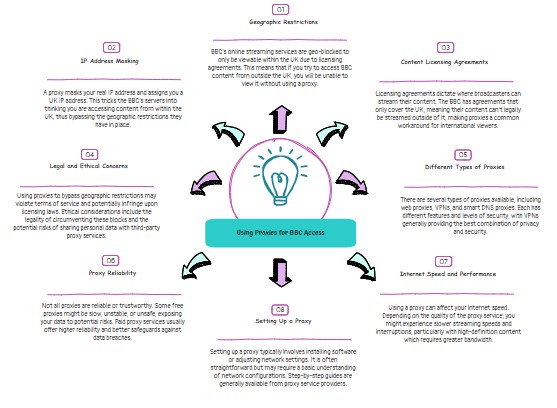
Not Just for Unblocking Streaming Sites Online
However on a serious point if you do travel a lot whether for leisure or work then it’s definitely worth investing in a VPN/Proxy service. Not only does it allow you to check things like web mail or banking sites safely on dodgy free wireless connections in bars, cafes, hotels etc. It also allows you access to all of those TV and media sites you miss back home – for me it’s the BBC and other UK TV sites but they work with most major sites all over the world. My work colleague uses her VPN (Virtual Private Network) to watch NBC, Hulu and ABC in the United States while working in Europe.
(Note to all visiting Barcelona – if some nice couple seem overly concerned about marks you have on the back of your jacket and offer to help you. Then make sure you run away/call police – you are having your wallet stolen – yes I did fall for it!)
Finding a BBC iPlayer VPN for Free – Alas No Longer
Just for the record – you can unfortunately no longer use the free proxy services for the BBC or websites for streaming content from iPlayer. Yes the internet is full of free stuff and you can often find a network which you can technically use for nothing to bypass the restrictions. However there are two main issues with using those free proxy servers –
- Not safe – lots of them are set up to steal your data, passwords and user accounts. Either directly by analyzing the traffic you route through it directly or by injecting malware onto your computer. Don’t use them, it’s really not worth the risk !
- They don’t work anymore – for example the BBC have blocked them all and many of the commercial VPN services too.
In fact lots of commercial VPNs, proxy servers and Smart DNS programs have been blocked by the BBC for quite a while now. It’s why it’s important to test them in short trials before subscribing. Any of the companies who openly advertise the BBC on their website will often find themselves targeted by the BBC legal and technical teams – it’s best to be low key which is why the best services don’t mention the iPlayer specifically.
Not safe – lots of them are set up to steal your data, passwords and user accounts. Either directly by analyzing the traffic you route through it directly or by injecting malware onto your computer. Don’t use them, it’s really not worth the risk !
They don’t work anymore – for example the BBC have blocked them all and many of the commercial VPN services too.
Here’s the link for Identity Cloaker –
Remember in 2025– Most BBC iPlayer Proxy Server Services No Longer Work
On the Identity Cloaker website notice there’s absolutely no mention of TV or being able to watch BBC iPlayer anywhere on their site. This is crucial, it’s one of the reasons why it’s worked perfectly for twelve years with iPlayer now when many others are routinely blocked and blacklisted. Remember the crucial factor of how well these programs work are the proxies themselves, fast, powerful and secure servers which are not overloaded are the ideal for accessing any streaming service.
Has BBC Blocked VPN?
For many years, the Chinese Government have thrown a huge number of resources to try and detect and block VPN services. Yet still today in 2025, there are millions who still use them every day to access Government restricted resources and to keep their data private. There’s no guaranteed method of detecting a VPN connection although the Chinese can spot many of them. The BBC does not quite have the same resources so is not able to get even close.
What it is able to do is to estimate the likelihood of a proxy/VPN connection which is actually much easier to do. All you need to do is analyse how many concurrent connections are on specific IP addresses – if the number is too high then it’s highly likely that it is a VPN or proxy server.
The other important reason why this program works so well, is that it’s got far less users on each server. This ensures that although it costs a little more – the service never has too many streaming from the BBC iPlayer site. This is the easiest way for the BBC to detect VPN/proxy access, when thousands of users connect from the exact same IP address.
Most Reliable BBC Unblocker for PC/Laptops
I can recommend the 10 day trial if you’re just away on a trip or holiday, or just to see if it works. There are loads of other services who offer something similar though and even other solutions like Smart DNS. However this is simply the one I found to be fastest and best value. I’ve been using it for over 12 years now in all sorts of countries as a BBC proxy without a problem and it also works for ITV, Channel 4, Channel 5 and Sky GO.
If you want to watch using an iPad, Smartphone or tablet using a proxy server you can also use Identity Cloaker too for UK TV access. You just have to set up the VPN connection manually for BBC iPlayer. It’s very simple and you can use it on pretty much any other device. Here’s an example of watching BBC iPlayer via a proxy on an iPad or Android device too in this post about watching BBC Iplayer on the Ipad Abroad.
Can I Get a Free BBC Proxy Server for iPlayer?
Unfortunately none of the free UK proxies work with the BBC iPlayer anymore. In fact, the vast majority won’t work with any of the major UK TV stations. The reason is that their IP addresses are either blacklisted or blocked very quickly. The only reliable free UK proxy is to use the free trial of this product – Smart DNS Proxy it will work perfectly for BBC iPlayer for 14 days after which you’ll have to subscribe (but it’s definitely worth it).
Which are the Best BBC iPlayer Proxies?
The most important criteria is obviously that they work! It’s becoming more and more difficult to find a VPN service that is not blocked but there’s still a few around. The main issue is that it’s difficult to run a generic VPN/proxy service which caters for large numbers of people and still allow access to these large media sites like the BBC. The safest way to ensure access is to limit the number of people using each server but this causes the costs to rise significantly. Smart DNS servers keep costs down because they don’t have the same bandwidth charges so will probably become more popular but don’t work well with mobile devices.